
 Getting Started
Getting Started in Rhythmia
New to Rhythmia? Here's how to join the server, link your account, and find your feet in your first hour.
Your first adventure starts here
Rhythmia is a fantasy MMORPG built inside Minecraft. This guide takes you from adding the server to making your first comfortable combat setup, linking your account, and exploring the world.
Nothing in this guide locks your build. Settings, weapons, and stat trees can all be adjusted as you discover how you enjoy playing.
Join the server
Rhythmia currently runs on Minecraft: Java Edition 1.21.4. Open Minecraft, select Multiplayer, and then choose Add Server.
Open Multiplayer from the Minecraft main menu.
Select Add Server and paste the address above.
Set Server Resource Packs to Enabled.
Join the server to arrive at Rhythmia’s starting hub.
The gold Play Now button on this website also copies the server address.
Recommended settings
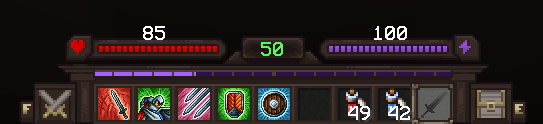
These settings are optional, but they make Rhythmia’s menus easier to read and keep important combat consumables close to your movement keys. Feel free to adapt them to your mouse and keyboard.
The highlighted hotbar shows where weapon skills and frequently used combat items appear.
Your tutorial weapon is not permanent
The tutorial lets you begin with a weapon style, but you are not locked to one weapon type. You can equip and level other weapons freely, so do not worry about making an incorrect choice.
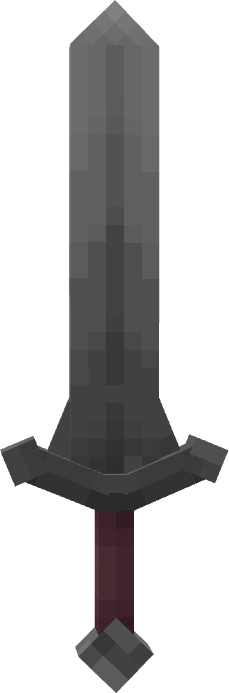
A balanced close-range style for learning movement and timing.
Choose either Charge or Multiattack during the tutorial.
Finding a new weapon is an invitation to try it. Your character can swap weapon types and develop several weapon skill trees over time.
A helpful first stat point
If the opening combat feels a little difficult, we recommend placing your first Player Stat Tree point into HP Regen — Minor Recovery. The extra recovery can make early exploration more forgiving.
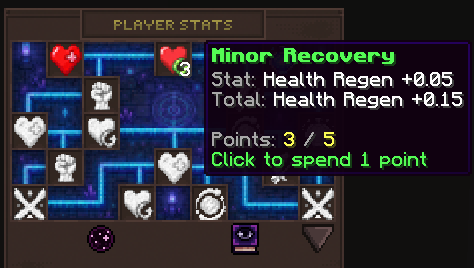
Each point grants 0.05 HP Regen.
This is a comfort recommendation, not a required build. If you are already comfortable surviving, choose the stat that best supports your preferred playstyle.
Join the community on Discord
Discord is the quickest place to ask for help, find other players, report an issue, or keep up with community events.
Link your Minecraft account
Linking connects your in-game character to the website and unlocks live map tools and private waypoints across your devices.
Use the control in the website header.
The website displays a temporary link code.
/link ABC123We will never ask for your Minecraft username or password. Linking only uses the temporary in-game code.
Explore Rhythmia
The interactive map shows Crossval, Highwind, and Feymire alongside banks, travel points, dungeons, resources, crafting stations, objectives, party members, and your private waypoints.