 Combat
Combat
Learn about combat levels, weapon skill points, Cast Mode, consumables, and upgrading your weapon skills.
Every weapon type is available to you
Rhythmia does not lock your character to a class or a single weapon. You can use every weapon type as long as you meet that item's combat-level requirement.
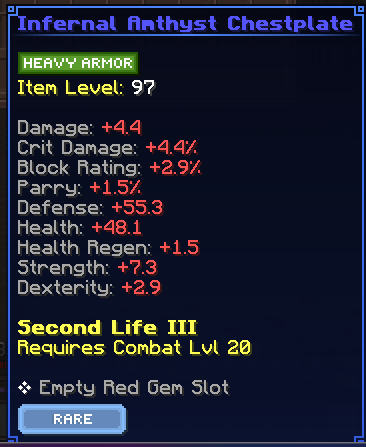
Weapons, armour, and combat level
Every weapon and piece of armour requires a certain combat level before it can be used. Check the item's tooltip for a line showing its required level.
Your current combat level is displayed using Minecraft's enchanting level indicator.
If your combat level is below the requirement shown on an item, keep fighting and gaining combat experience before trying to equip it.
Earn weapon skill points
You can earn the points used in weapon skill trees in two ways:
You receive 1 weapon skill point each time your combat level increases.
Each scroll grants an additional skill point when used.
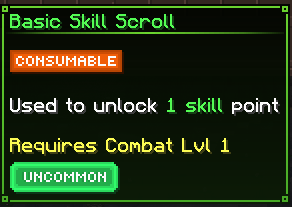
Find Scroll Fragments by completing quests or defeating bosses.
Take the fragments to an Arcane Forge.
Craft a Combat Scroll and use it to gain a skill point.
Enter Cast Mode
Press F, or whichever key you have assigned to Swap Item With Offhand, to enter Cast Mode and access your weapon skills.
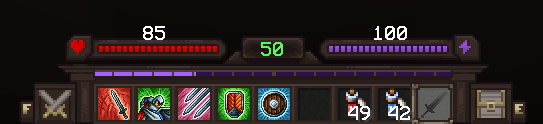
Place combat consumables in hotbar slots 6, 7, and 8 so they are available while you are in Cast Mode.
These match the recommendations in the Getting Started guide.
Upgrade and unlock weapon skills
Open the Inventory Menu.
Select Weapon Skill Tree.
Choose the weapon whose skills you want to improve.
Select the green + beside the skill you want to unlock or upgrade.
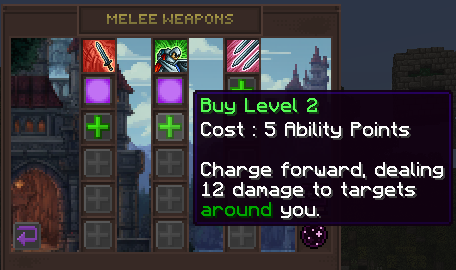
Selecting a green plus spends the displayed number of skill points. Check the skill tooltip before confirming an upgrade.